- Home
- POS & Ordering
- Kitchen Display
Back of house
A calmer kitchen with a Kitchen Display
Every order from every channel, online, QR, counter and delivery apps, lands on one kitchen screen in real time. No lost dockets, no shouting.

In short
What is a kitchen display system (KDS)?
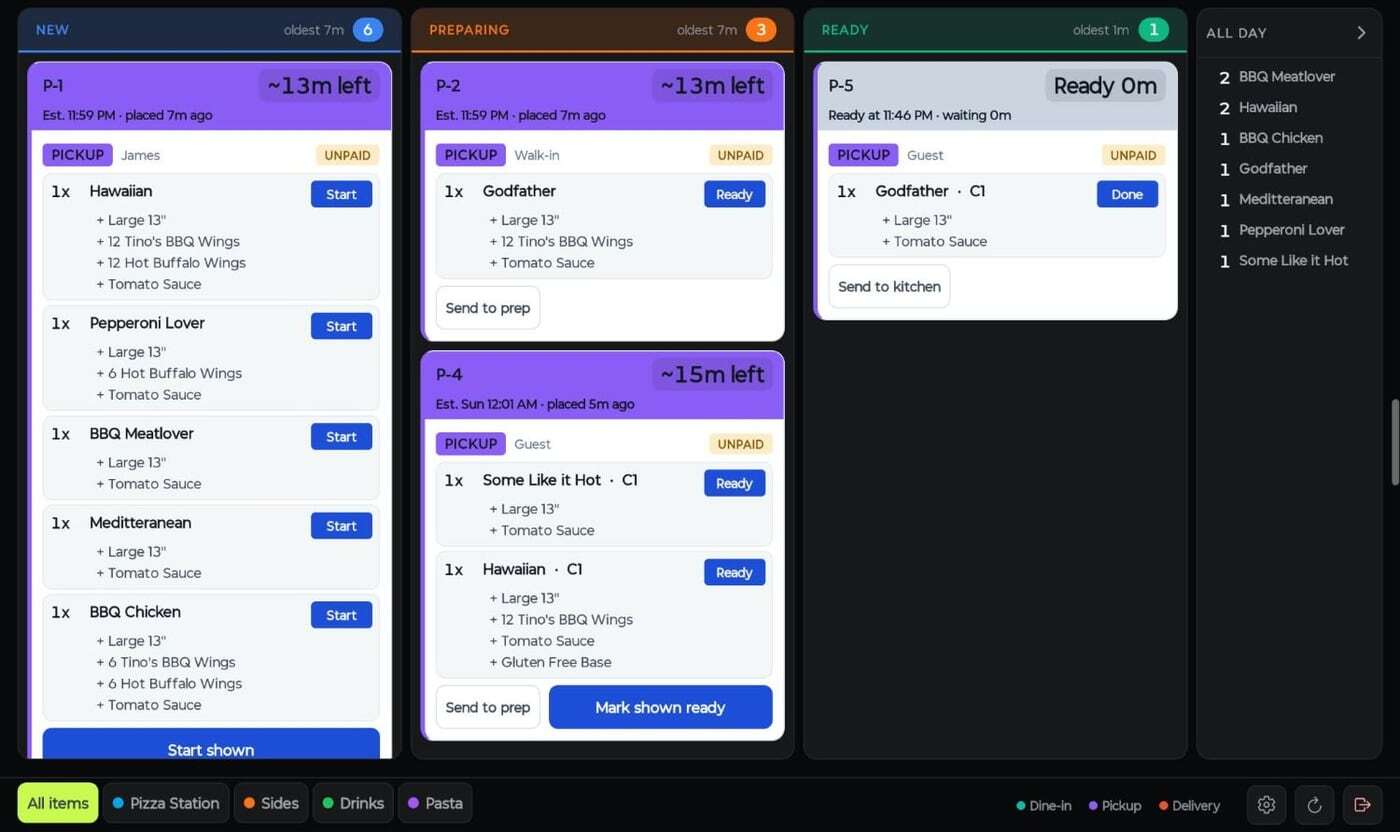
A kitchen display system replaces paper dockets with a screen. Orders from the POS, QR codes, your online store and delivery apps appear in one live queue with timers, move from New to Preparing to Ready as the kitchen bumps them, and update the front counter and the customer automatically.
Key facts
- 15.6″ or 21.5″ KDS screens
- Syncs dish status with the POS
- Three levels: expeditor, kitchen and preparation
- Triggers buzzer and SMS when ready
- Option to print fulfil tickets
Run the kitchen on screens, not paper
Built for a busy pass
Live order queue
New, Preparing and Ready columns with timers, order-type colours and one-tap bump.
Station routing
Send pizzas to the pizza station, drinks to the bar. Orders split by station automatically.
Expeditor view
Three levels, expeditor, kitchen and preparation, so the pass sees the whole order.
All-day counts
A running tally of every dish on order, so the kitchen can batch prep.
Buzzer & SMS
Trigger a buzzer or text the customer the moment their order is ready.
Printer fallback
Prefer paper for some stations? Route to kitchen printers alongside or instead of screens.

Front of house
An order status screen customers can see
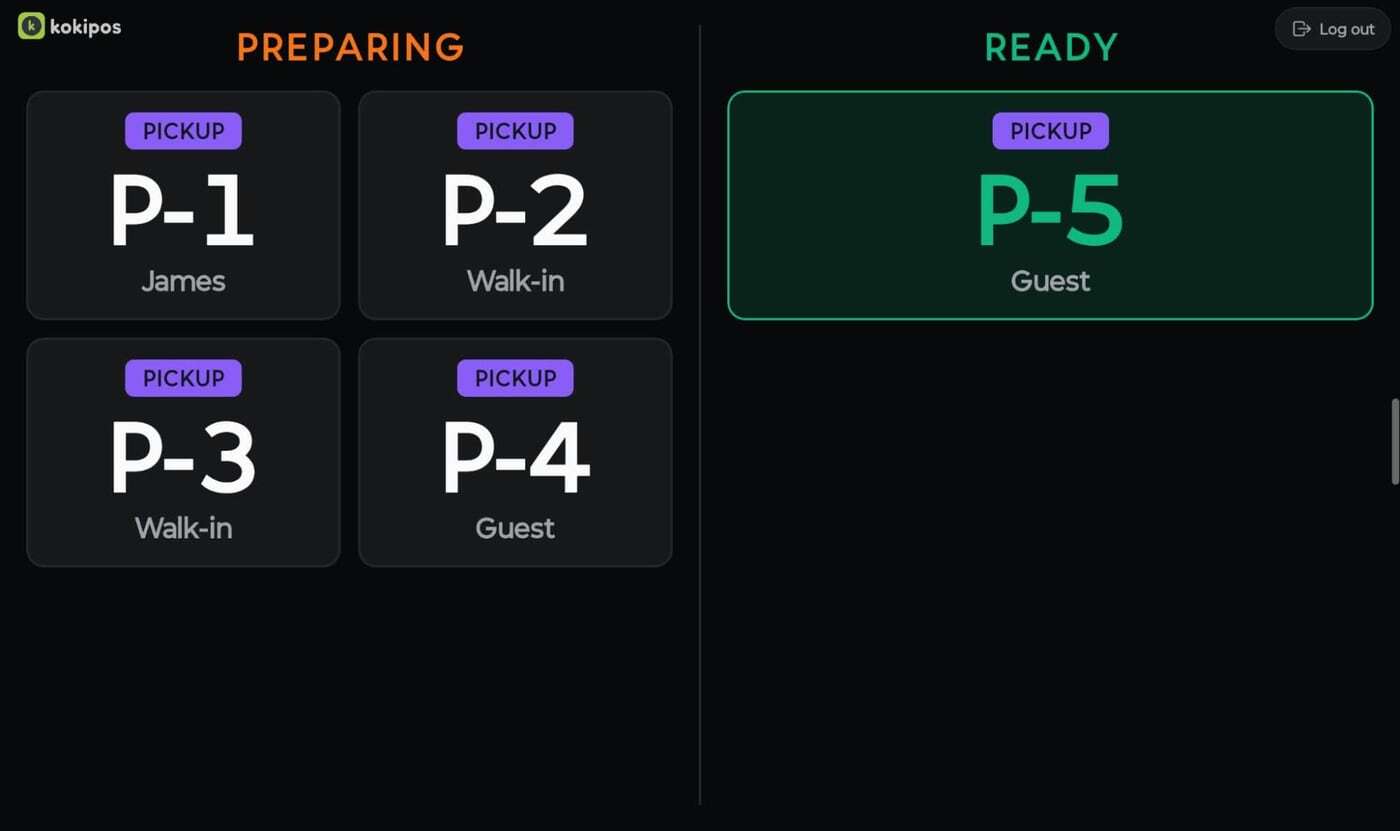
A separate collection screen shows customers which orders are being prepared and which are ready, so the counter stays calm during the rush.
- Preparing and Ready columns
- Order number and customer name
- Updates the moment the kitchen bumps an order
Works with
One system, not a stack of apps
Every Kokipay module shares the same menu, customers, orders and reports.
FAQ
Kitchen Display FAQs
What hardware does the kitchen display need?
Kokipay KDS runs on 15.6″ or 21.5″ screens. Talk to us about the right size and mounting for your kitchen.
Can orders go to different stations?
Yes. Items route to the right station automatically, and the expeditor view brings the whole order back together at the pass.
Can I still print dockets?
Yes. You can print fulfil tickets and route to kitchen printers alongside the screens, with re-routing to backup printers.
How do customers know their order is ready?
The KDS can trigger a buzzer and an SMS, and a customer-facing order status screen shows Ready orders at the counter.
Talk to us
Curious? We welcome you to find out!
Reach out to us, and we'll give you all the information you need to make an informed decision. We're confident you'll be impressed with our service.
Get in Touch
Say goodbye to costly EFTPOS and outdated POS
Leave your details and our team will be in touch.
- Local Australian team on standby
- No lock-in contracts
- $0 Advanced Smart POS software
- $0 Online and QR ordering